JJJ's Blog

  • WordPress
  • GitHub
  • Twitter/X
  • Dvorak – Day 2

    After my second full day of Dvorak, I can tell that my fingers are doing much less traveling around the keyboard. It almost makes the keys feel small and squished together while typing because my fingers leave their respective positions so infrequently. I have managed to commit a few commonly used home-row words to muscle memory already — the & has.

    Taking the time to learn Dvorak has come with an interesting observation: I do not know which key represents what letter – I only know that moving my fingers in a certain way yields a positive (or negative) result.

    If you sat me down and told me to draw a qwerty keyboard, I would have came to the same conclusion, but still it’s quite an epiphany – I use a keyboard for 10 hours a day, but can’t draw one without pretending to type on one.

    It’s a reminder that typing was once something I didn’t do.

    I’ve gotten a dvorak rhythm down, and while not a very fast one (about 15 wpm) I think focusing on accuracy now will help improve my speed later. I’m able to reliably touch type without looking at the keyboard, and can tell immediately when I’ve hit an incorrect key. I’m picking up some new typing habits though, which seem to be mostly positive:

    • Left thumbing the spacebar
    • Using the right shift key appropriately
    • Thinking before I type – This sounds weird, but I pick my words more carefully now that they take longer to type
    • Brevity – I can tell I’m using fewer crutch words, staying more focused on what I’m typing, and typing with the intent of maximizing the return of my efforts.
    So far that’s the biggest take away for me: type with intentions.

    JJJ

    June 20, 2011
    Life
    Dvorak
  • Dvorak – Day 1

    Today is the first day of the rest of my Dvorak life.

    I tried to switch a year ago but only lasted about 2 hours before being so disoriented and frustrated that I gave up and (literally) swore it off as something I would never have the patience or commitment to try again. Today I decided to give it another go, this time swapping the physical keys so I could cheat and see where the new key placement is.

    Aside from the obvious change in keyboard layout, my biggest pain-point has been self inflicted by way of not having the nubs under my index fingers anymore. I’ve gotten so used to picking up my laptop (or sitting down at my desk) quickly finding the home-row, and getting to work, the flatness where I /know/ there should be texture is slowing down my existing rituals. The new layout also goes against where my brain wants the new key locations to be; the L, M, R, and W keys feel backwards, and I want to invert the E & U, and T & H keys. I know I’ll adjust, but right now it still feels pretty odd.

    What I’ve found to be the most helpful is to focus on avoiding spelling errors, never guessing at placement, and pausing to remember the last time I successfully typed that letter and what the word was. This is helping me treat learning dvorak like I am learning a completely new instrument rather than associating new (healthy) behaviors with old (potentially bad) ones. Already after one day I can see how many of my touch-typing qwerty’isms won’t be useful anymore.

    So… If you’re one of the people in my life that have gotten used to my long-windedness and quick response times, look forward to some brevity and typos!

    JJJ

    June 19, 2011
    Life
    Dvorak
  • Poppa’s got a brand new bag

    WordPress Timbuk2
    WordPress Timbuk2

    JJJ

    April 11, 2011
    WordPress
  • World Wide WordPress 5k – #wwwp5k

    This afternoon Paul the puppy and I laced up our retro Nike Shox and took part in the World Wide WordPress 5k. Our goal for today was neither speed nor endurance, but rather to get our butts off the couch on a Sunday afternoon and explore the neighborhood. These are the results, tracked with RunKeeper Pro:

    World Wide WordPress 5k Results
    World Wide WordPress 5k Results

    (more…)

    JJJ

    April 10, 2011
    Fun
    iPhone, Paul
  • Fixing Stuck Netflix on Apple TV

    In the middle of watching season 5 of Weeds (which by the way is quite hilarious) the Netflix app on the Apple TV in my living room decided to stop working. Clicking “Play” simply kicked me back to the info screen for any show or movie I tried to watch. Netflix streaming worked everywhere else in my network (iPhone, XBox, etc…) (more…)

    JJJ

    April 9, 2011
    Hardware
    Apple
  • Home Office Clean-up

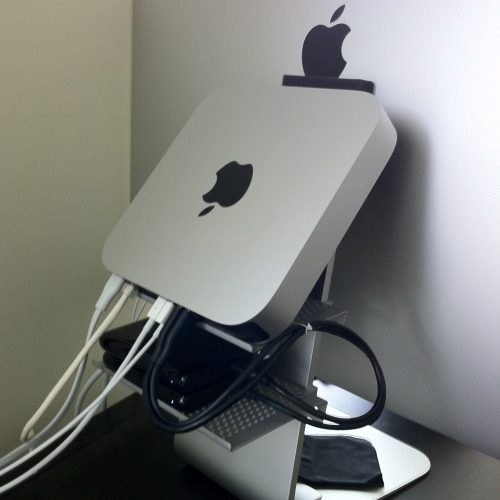
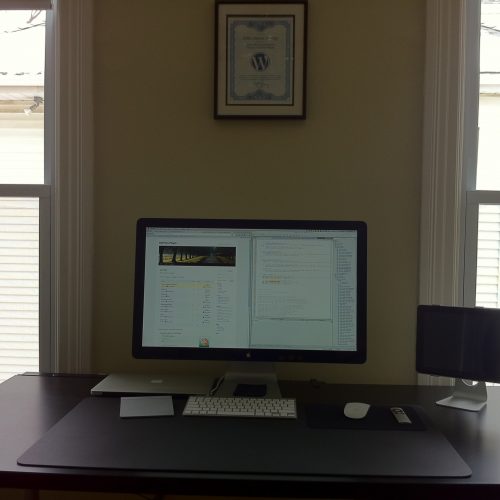
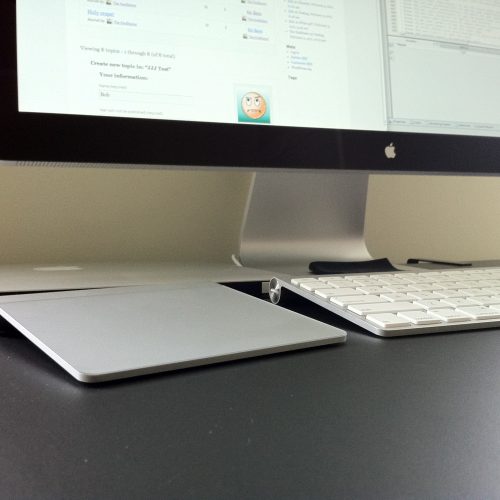
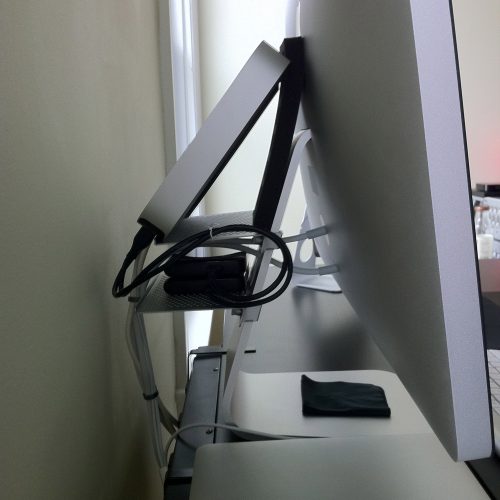
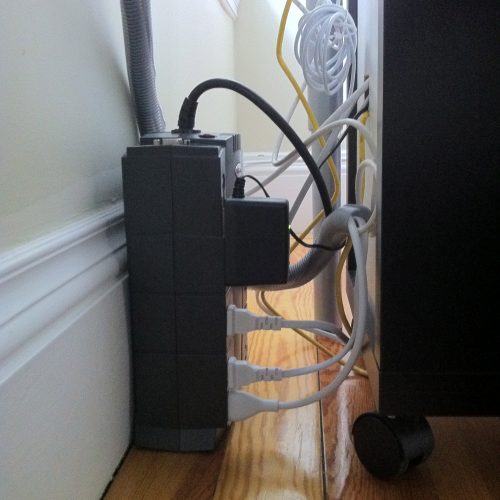
    I ordered two of the Twelve South BackPack’s so that I could hide my Mac Mini and the two 1TB drives I have hooked to it. While I was getting everything situated, I zip tied some cables together and took some shots of the rest of the work bench.

    As you can see, my battery backup is still a rats nest that I haven’t really figured out what to do with. I tucked the Verizon Fios router in the bottom drawer of my little shelf under my desk, on top of which is an Airport Extreme that is setup so I get great signal on the patio (if the precipitation ever stops.) I think the end result is better than what I had before, but could use additional cable organization. Would love to hear suggestions on how to hide the giant battery backup and organize the power cables.

    For anyone that’s curious, most essential software is sync’ed to the MacBook Air either via MobileMe or DropBox, so things like Skype, Colloquy, keychains, and non-sensitive local development files are always in sync between the two computers.

    JJJ

    February 5, 2011
    Fun
    Apple
  • LunaTik – iPod Nano Watchband – Kickstarter

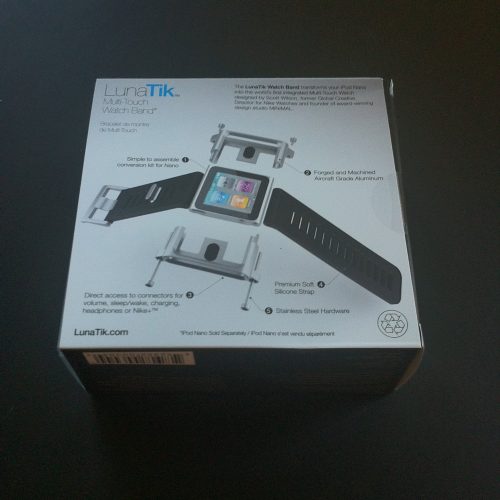
    A few months back I jumped on the iPod-Nano-as-a-watch bandwagon, and have been waiting for a suitable watch band ever since. I tried a few and none of them really felt solid enough for daily wear. I even made my own out of a $6 X-Men wristband from Hot Topic, which lasted an hour until I ripped it taking it off.

    Then I saw the LunaTik on Kickstarter. I went for the limited anodized red edition, which came with the awesome (but not quite as awesome) TikTok.

    I’ve been wearing it for 10 minutes so far, and it’s as awesome and well constructed as it looks. The band feels really strong and comfortable, and the Nano fits exactly perfectly inside it. Unlike the Transformers watches I had when I was like 7 years old that kept falling off in the Wisconsin leaf-piles, there is no way the Nano is coming out of this thing no matter how sweet of a jump I hit.

    Great job Scott and everyone at MINIMAL!

    JJJ

    February 4, 2011
    Fun
    Apple
  • OSX, HostName, and FiOS

    Flash-back to 2004 when Matt figured out how to change the computer name on his new Mac; now flash-forward to today when I need to do the same thing, and his method didn’t work. Also tried Richard Bronosky’s method, and still no joy.

    If you have FiOS, it could be Verizon’s fault.

    I needed to change the DHCP Client ID:

    Network > Settings > Advanced

    …and then I needed to rename the device at the router too, otherwise terminal would show my HostName as ‘new-host’ even after the above changes…

    Router Config >My Network > Rename

    It’s possible I didn’t need to do all of these things, but I did anyways and finally got rid of that pesky ‘new-host’ name.

    JJJ

    December 11, 2010
    Software
  • Swag Day

    JJJ

    December 11, 2010
    WordPress
  • Better Google Translate Beatbox

    pv, zk pv.  pv pv pv zk pv. pzk, zk pv. pv zk pv zk pv. bsch psk pv pv xz bsch pv. pvzpvzpvzpvz,

    Or go directly to Google Translate and click “Listen” to check out what the heck that means.

    If there wasn’t a limitation on the length of text it speaks back, I could keep it going for longer with other variations. This also gives a neat peek into how the speech algorithm works, since it’s sensitive to punctuation and syllable patterns.

    JJJ

    December 2, 2010
    Fun
Previous Page
1 … 49 50 51 52 53 … 55
Next Page

Proudly Powered by WordPress